Rawaq

Pray on time,without the rush.

Accurate times, habits that stick, and a qada counter. All on your phone, no internet needed.

GET IT ONGoogle Play

Free, no ads · Arabic & English · Works offline

The next prayer, right there

Your whole day in one place

From Fajr until you sleep — Rawaq walks with you, calmly.

  1. 1

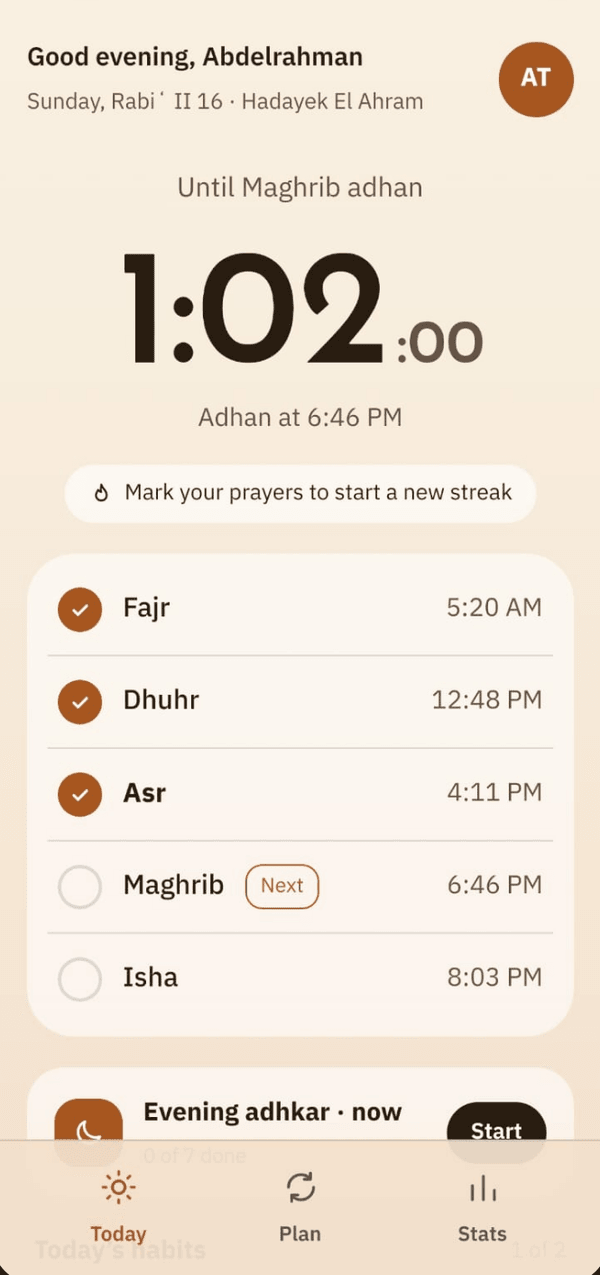
    The next prayer, right there

    A countdown to the next adhan and all of today’s times — mark each prayer with one tap.

    The next prayer, right there
  2. 2

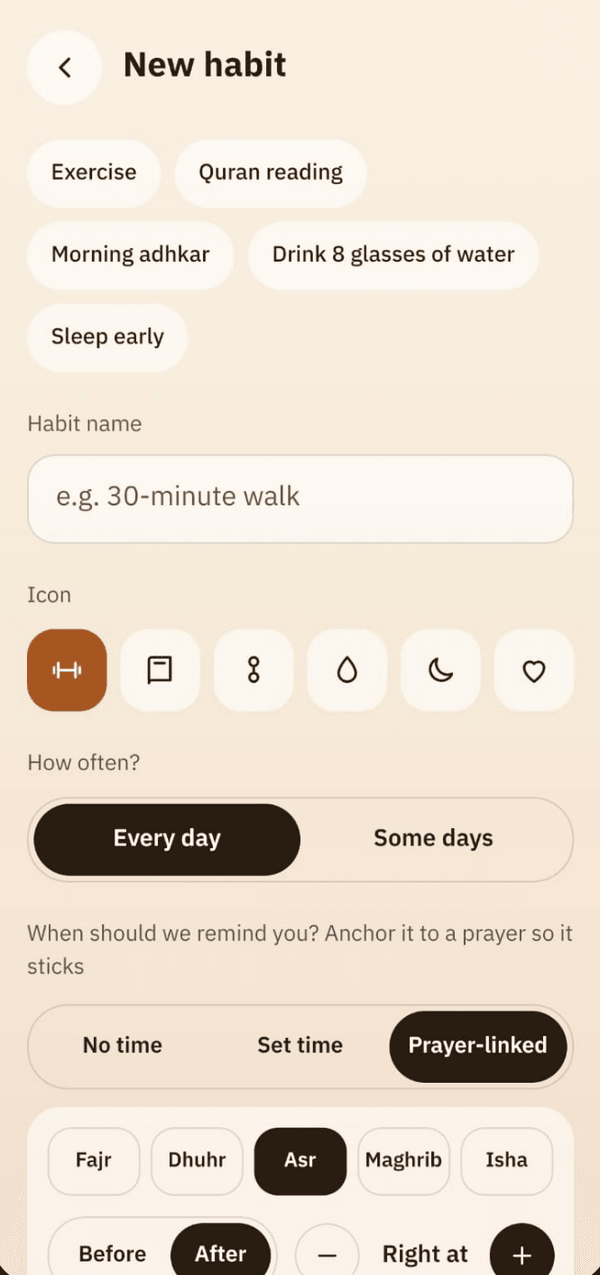
    Habits tied to prayer

    “After Asr: a 30-minute walk” — the habit reminds you at the right moment and your streak grows day by day.

    Habits tied to prayer
  3. 3

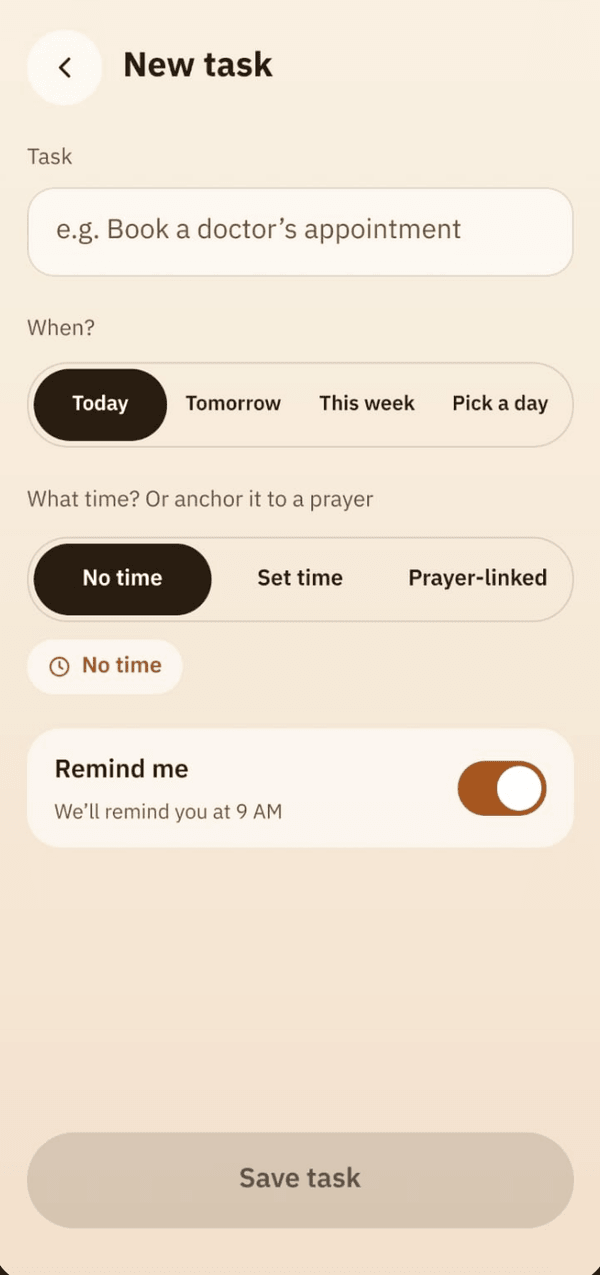
    Tasks with a reminder

    Write a task, anchor it to a prayer or a time, and Rawaq reminds you.

    Tasks with a reminder
  4. 4

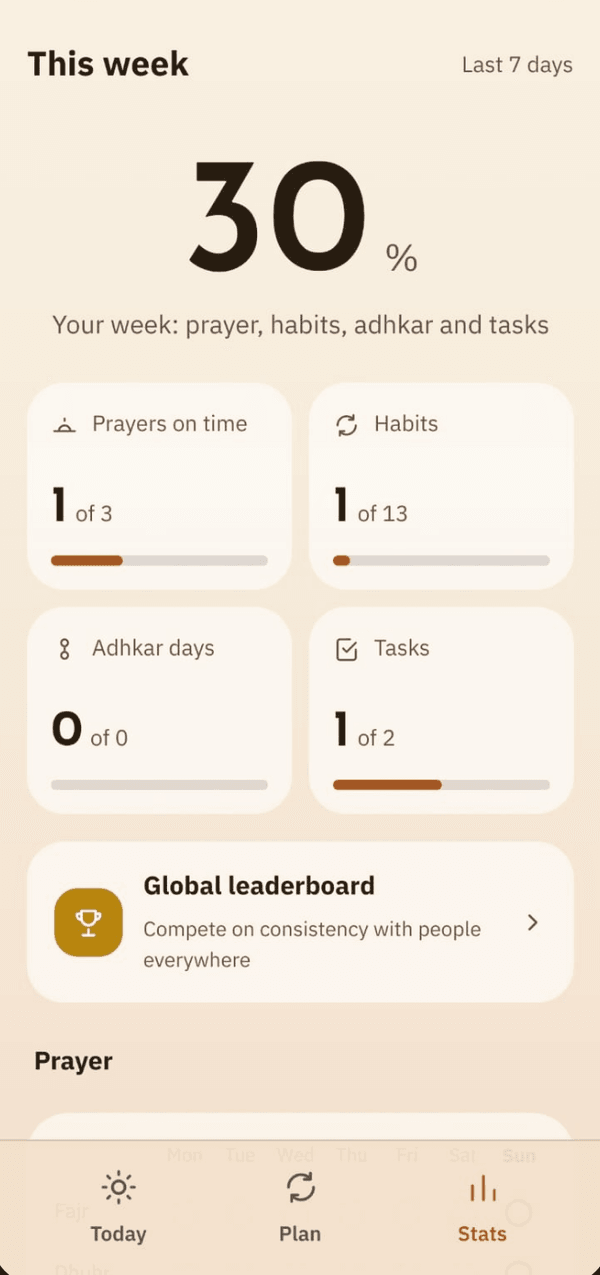
    Your week at a glance

    Prayers on time, habits, adhkar and tasks — one clear score.

    Your week at a glance
  5. 5

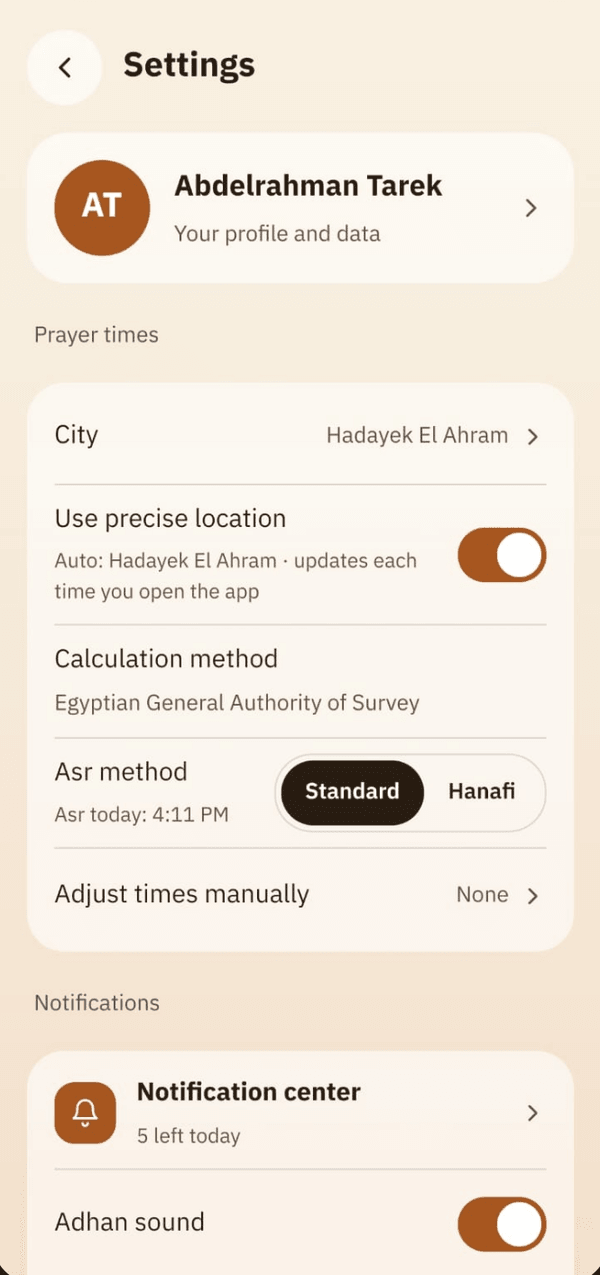
    Times and alerts your way

    Calculation method, Asr school, muezzin and adhan sound — all as you like.

    Times and alerts your way

Your whole day, built around prayer

Prayer is the backbone; everything else falls into place around it.

Prayer times & adhan

Accurate times and the adhan right on time in the voice you pick, with a full adhan screen even on the lock screen.

Prayer tracking & qada

“Prayed?” with one tap before the window ends, and a qada counter that goes prayer by prayer.

Adhkar

From Hisn al-Muslim: morning, evening, after prayer and sleep, in three levels — First steps, On the path, Full wird.

The Holy Quran

Text from the Tanzil Project, reproduced exactly — Mushaf pages or continuous scroll, daily wird and khatma, offline.

Qibla

A calm compass that starts when you ask and stops when you leave.

Sunnah & qiyam al-layl

Duha, shaf’ & witr and qiyam al-layl, with or without an alert.

Habits & tasks around prayer

“15 minutes after Asr: run” — habits and tasks follow the prayer, not a fixed clock.

Your stats

Your streak, prayers and habits across the week and month.

Family & leaderboard

Encourage each other and see achievements only — never any prayer details — plus an optional global ranking by nickname.

Widget & Quick Settings tile

Next prayer and a “Prayed” button on your home screen and in Quick Settings, coloured by the prayer time or your phone’s dark mode.

Your privacy

Your data stays on your phone, with no ads and no ad tracking. Anonymous usage stats can be turned off in Settings.

It keeps at it until you do

Useful, one-tap notifications — never nagging.

Asr is ending soonnow
30 minutes left
Run after Asr2 min ago
7-day streak — keep it going
Review today’s lesson5 min ago
Today’s task

Compete in good

Make a circle for your family or friends, cheer each other on and climb the ranking — your prayers themselves are never shown to anyone.

﴿وَفِى ذَٰلِكَ فَلْيَتَنَافَسِ ٱلْمُتَنَٰفِسُونَ﴾

Al-Mutaffifin 83:26
  • Abu Yusuf21 days·4
  • Umm Malak17 days·3
  • Hamza12 days·2
  • Nour9 days·1
  1. 1Faris42
  2. 2Reem39
  3. 3Salem35
  4. 4You34
  5. 5Hala31

The ranking is optional and shows a nickname only; showing prayers in it is off by default. Your family sees numbers and achievements — never a marked prayer.

Your data stays on your phone. Period.

No server sees your prayers. An account and backup are optional.

0ads
100%works offline
0ad trackers
Privacy policy

Frequently asked

Is it free?

Yes, and without ads.

Does it need internet?

No. Times, the adhan and reminders all work offline. You only need internet for backup or to download an adhan voice.

How are prayer times calculated?

On your phone, from your approximate location, using the Egyptian General Authority of Survey method by default — you can change it and adjust each prayer by the minute.

Do I need an account?

No. It’s optional and only brings your data back if you change phones.

Where do I get it?

On Google Play — free and available to everyone.

Is there an iPhone version?

Android first, iPhone later, God willing.

Get Rawaq

Free, with no ads. Pray on time, without the rush.

GET IT ONGoogle Play
Scan with your phone